Honeywell T6 Pro Flashing Snowflake: What It Means and What to Do
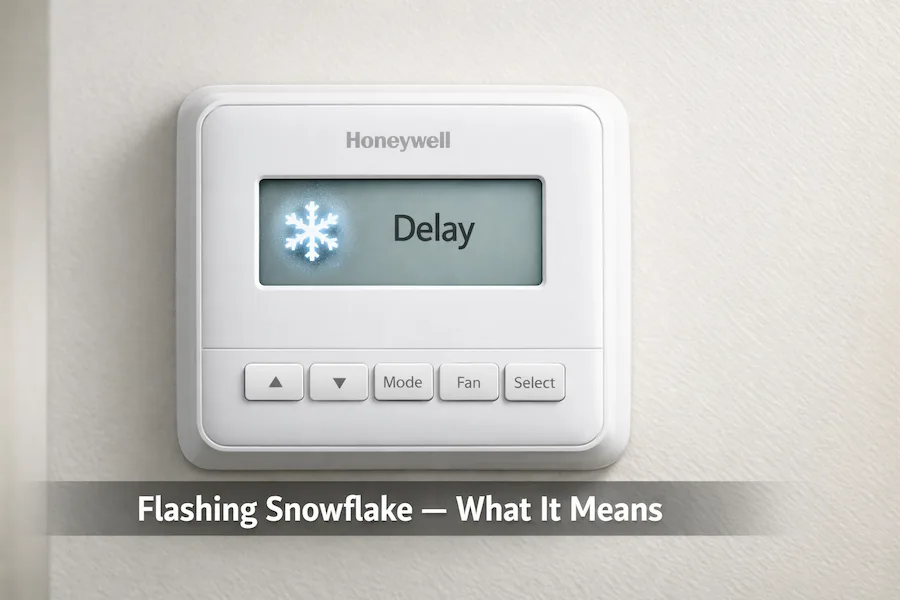
A flashing snowflake on the Honeywell T6 Pro means delay mode is active. In most cases, it stops within 5 minutes and cools automatically. If it continues for the past 5 minutes, a system fault is preventing the compressor from starting. The most common causes are a disabled ISU 387, an open furnace door, or a tripped circuit breaker.
Your Honeywell T6 Pro Thermostat is showing a flashing snowflake, but the AC is not turning on. Adjusting the temperature setting changed nothing. In most cases, this is normal and resolves within 5 minutes. The thermostat is protecting the compressor with a built-in 5-minute delay.
If the AC is not turning on and the snowflake is flashing, it is most likely a built-in delay. It is not a fault.
This guide explains what the flashing snowflake means on the T6 Pro specifically, how it connects to ISU 387 compressor protection, and exactly what to check if the flashing does not stop within 5 minutes.
Quick Answer
A flashing snowflake on the Honeywell T6 Pro means the thermostat is in delay mode protecting the compressor from short cycling. This is normal and lasts up to 5 minutes. If flashing continues beyond 5 minutes, check ISU 387, the furnace power switch, the circuit breaker, and the air filter.
Why Your AC Is Not Turning On
When the snowflake is flashing, the thermostat is waiting before starting the AC compressor. This delay protects your system from damage caused by turning on and off too quickly. The thermostat includes this delay by default. It is not a fault.
Flashing Snowflake vs Solid Snowflake: What Each One Means
The snowflake icon on the T6 Pro display appears in four distinct states. Each state has a specific meaning and requires a different action.
| Display Symbol | Meaning | User Action |
|---|---|---|
| Flashing snowflake | Delay mode — compressor protection active | Wait up to 5 minutes |
| Solid snowflake | Cooling is actively running | Normal — no action needed |
| Flashing snowflake beyond 5 minutes | System issue — not a normal delay | Check causes in this guide |
| Cool On flashing | Same as flashing snowflake on the T6 Pro | Wait 5 minutes or investigate |
If your snowflake icon is blinking and the AC is silent, the thermostat is in delay mode. If the snowflake is solid and you hear the outdoor unit running, cooling is active.
What Does the Flashing Snowflake Mean on the T6 Pro?
A flashing snowflake on the T6 Pro means delay mode is active. The thermostat delays the compressor from restarting within 5 minutes of its last cycle or after a setting change. Starting a compressor too soon causes pressure imbalance and increases motor wear. On some Honeywell thermostats this appears as Cool On flashing, but on the T6 Pro the snowflake icon is used instead.
For a complete overview of T6 Pro operation, including wiring and terminal guidance, see the full Honeywell T6 Pro thermostat manual.
What does a flashing snowflake mean on a Honeywell thermostat?
A flashing snowflake means the thermostat is in compressor protection delay mode. It waits up to 5 minutes before allowing the compressor to start, preventing short-cycling damage.
How long does the flashing snowflake last on the T6 Pro?
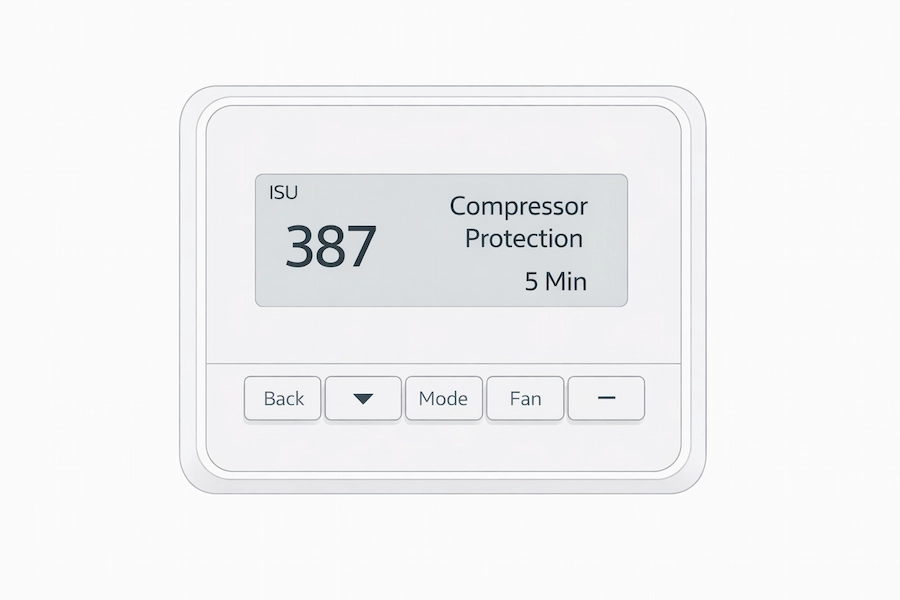
The flashing snowflake lasts up to 5 minutes by default on the T6 Pro. Once the delay ends the snowflake becomes solid and the compressor starts. The delay duration is controlled by ISU 387 in the installer setup menu.
Is a flashing snowflake on the T6 Pro normal?
A flashing snowflake that stops within 5 minutes is completely normal. No action is needed. If the snowflake is still flashing after 5 minutes, there is an underlying system issue that needs to be investigated.
The ISU 387 Connection: Why This Happens After Installation
ISU 387 directly controls how the compressor protection delay behaves on the T6 Pro. By default, it is set to 5 minutes, meaning every time the system calls for cooling, the thermostat waits before starting the compressor. According to the official Honeywell Home T6 Pro Installation Instructions Guide published by Resideo Technologies, this delay protects the compressor from pressure imbalance caused by rapid restarts.
The most common cause of persistent flashing after installation is ISU 387 left at 0. Installers sometimes set it to 0 during commissioning to speed up testing and do not restore it before leaving.
When ISU 387 is set to 0, the compressor protection is completely disabled. The system may short cycle without any delay of protection, which increases wear on the compressor over time. Restoring it to 5 minutes fixes both the flashing behavior and protects the equipment.
To check your ISU 387 value, enter the T6 Pro installer setup menu by pressing and holding the center button and the + button for 3 seconds. Navigate to ISU 387 and confirm the value is set to 5. If it shows 0, change it to 5 and press Home to save. For full instructions, see the Honeywell T6 Pro ISU menu guide.
When the Flashing Snowflake Is Normal
The flashing snowflake requires no action in these situations. It resolves within 5 minutes in every case below.
- You just changed the temperature setting to a lower value
- You just powered on the thermostat for the first time
- You recently performed a factory reset and re-entered ISU settings
- The system was recently turned off and immediately turned back on
- Outdoor temperatures are extreme and the system was already running recently
The ISU 387 setting at its default of 5 minutes is protecting your compressor correctly in each case above
What to Do Right Now: Step by Step
Follow these steps to identify the exact cause and restore cooling. Do not skip ahead.
- Wait 5 minutes without touching anything. If the snowflake stops flashing and the AC starts, the system is working normally.
- If it’s still flashing after 5 minutes, enter the ISU menu and check out ISU 387. Confirm that the value is set to 5. If it shows 0, change it to 5 and press Home to save.
- Check that the furnace door is fully closed and the furnace power switch is on.
- Inspect the circuit breaker panel. Reset any tripped breaker once.
- Check the air filter. Replace it if it is dirty or blocked.
- Check for a utility saver switch on your outdoor unit.
- If all of the above check out and the snowflake is still flashing after 30 minutes, call a licensed HVAC technician. The issue is likely low refrigerant or a compressor fault. See the full T6 Pro thermostat manual for wiring and terminal reference before the technician arrives.
FAQ’s
Conclusion
A flashing snowflake on the Honeywell T6 Pro Thermostat is normal behavior in most cases. The thermostat protects your HVAC system compressor with a built-in delay of up to 5 minutes. If the flashing stops and cooling starts, nothing is wrong. If the thermostat is not cooling after 5 minutes of flashing, check ISU 387 first. It is a commonly overlooked cause after installation. Then work through the furnace power switch, circuit breaker, air filter, and refrigerant level before calling a technician.
Once the flashing stops and your system is cooling normally, review your full ISU settings to confirm the installation is configured correctly. The Honeywell T6 Pro ISU menu guide covers every setting in plain language. For wiring diagrams and terminal guidance, see the Honeywell T6 Pro thermostat manual. For broader system faults beyond the thermostat, the Honeywell thermostat not working guide covers full diagnostic steps.