Honeywell T1 Pro ISU Menu: All 11 Settings and ISU 200 Fix
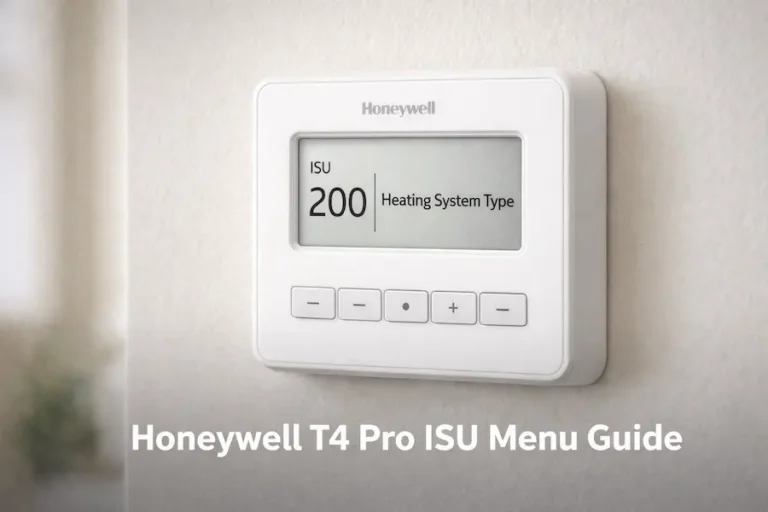
The Honeywell T1 Pro ISU menu is the installer setup configuration system that tells the thermostat what type of HVAC equipment it controls. If your T1 Pro powers on but heating or cooling does not respond, the ISU menu was either skipped or ISU 200 was set to the wrong system type.
This guide covers every T1 Pro ISU setting, explains which value to enter for your system type, and shows what to do when a setting is not appearing in the menu. It covers both the TH1110D and TH1010D models, because each has different ISU options.
Quick Answer
ISU stands for Installer Setup. The most important T1 Pro ISU setting is ISU 200, which tells the thermostat what type of HVAC equipment it controls. If ISU 200 is set incorrectly, the thermostat sends the wrong signals and the system does not heat or cool. Correct ISU 200 first before checking any other setting.
You Are in the Right Place If:
- Your T1 Pro powers on but heating or cooling is not working
- You see ISU on the screen and do not know what it means or how to change it
- Some ISU settings are not appearing in the menu
- You are replacing an old thermostat and need to configure the T1 Pro for your system
What Is the Honeywell T1 Pro ISU Menu?
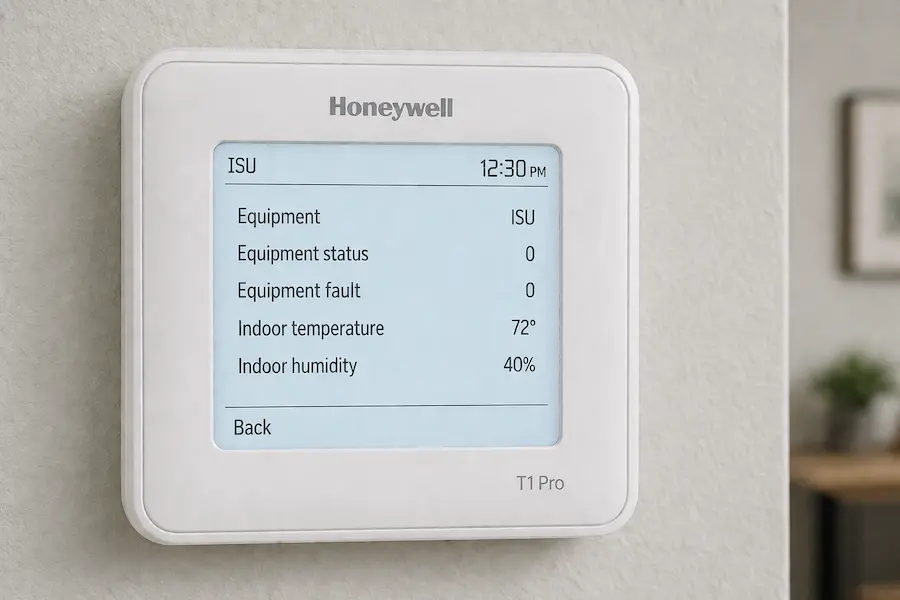
The Honeywell T1 Pro ISU menu is a hidden configuration system that tells the thermostat what type of HVAC equipment it controls. It is separate from homeowner settings. Homeowner settings control daily operation like temperature, fan mode, and system mode. ISU settings define how the thermostat sends signals to terminals like R, Y, W, and O/B.
The T1 Pro ISU menu contains 11 settings. Each setting is configured once during installation and does not need adjustment during normal use unless the HVAC system changes. The menu is hidden from the home screen and accessed by pressing and holding the Menu button for approximately 3 seconds.
ISU is also called the “thermostat installer setup menu.” This term appears across Honeywell models like T1 Pro, T4 Pro, and T6 Pro. For a broader explanation, see the thermostat installer setup menu guide.
If the ISU menu is skipped, the thermostat uses factory default values. The default system type is conventional forced air. This does not match heat pump, radiant, or steam systems and prevents heating or cooling on those systems.
TH1110D or TH1010D — Which T1 Pro Do You Have?
The Honeywell T1 Pro comes in 2 models: TH1110D2009 and TH1010D2000. Each supports different HVAC systems and has a different ISU menu. Confirm your model before entering any ISU value.
TH1110D2009 supports both conventional systems and heat pumps. It uses the O/B terminal for reversing valve control. The full ISU menu is available on this model, including ISU 218 for reversing valve direction. It supports single-stage heat pump systems with no auxiliary heat.
TH1010D2000 supports conventional systems only. These include gas furnaces, electric furnaces, and oil systems. It does not use the O/B terminal and does not support heat pump configuration.
The heat pump option—ISU 200 value 2—is not available on this model. Pull the thermostat body straight off the UWP wall plate to expose the back. The model number is printed on a sticker on the back of the thermostat. The suffix identifies the version: TH1110D2009 supports heat pumps, and TH1010D2000 is conventional only. If you have a heat pump and a TH1010D, the thermostat is not compatible. The TH1110D is the only T1 Pro model that supports heat pump configuration
How to Access the Honeywell T1 Pro ISU Menu
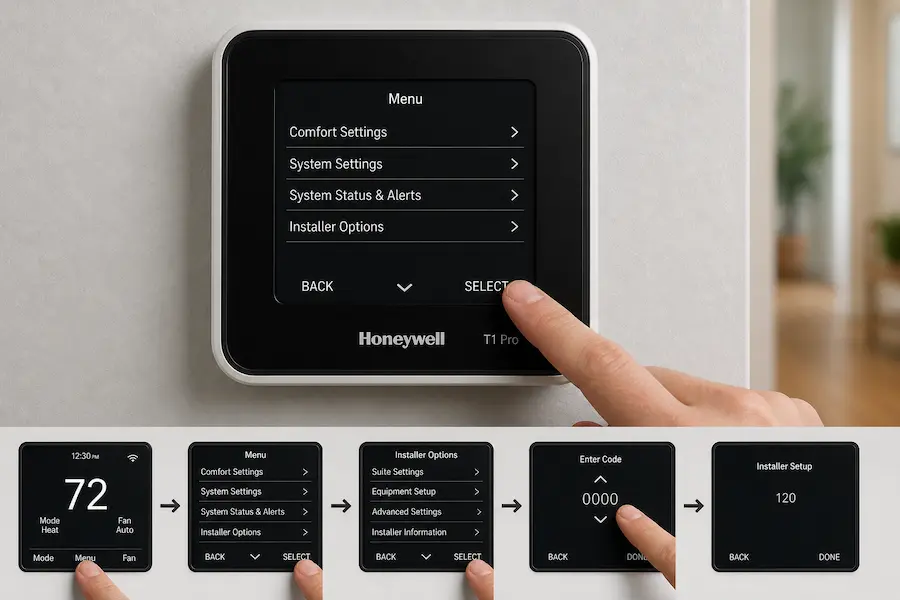
Access the T1 Pro ISU menu by pressing and holding the center Menu button for approximately 3 seconds. If the menu does not appear after 3 seconds, hold for up to 5 seconds.
Step 1: Press and hold the Menu button to enter the ISU menu. Step 2: Press Edit (minus button) to change the value of the setting on screen. Step 3: Press Next (plus button) to advance to the next ISU setting. Step 4: Press Done to save and return to the home screen.
Settings save automatically as you move through the menu using Next. You do not need to manually save each option.
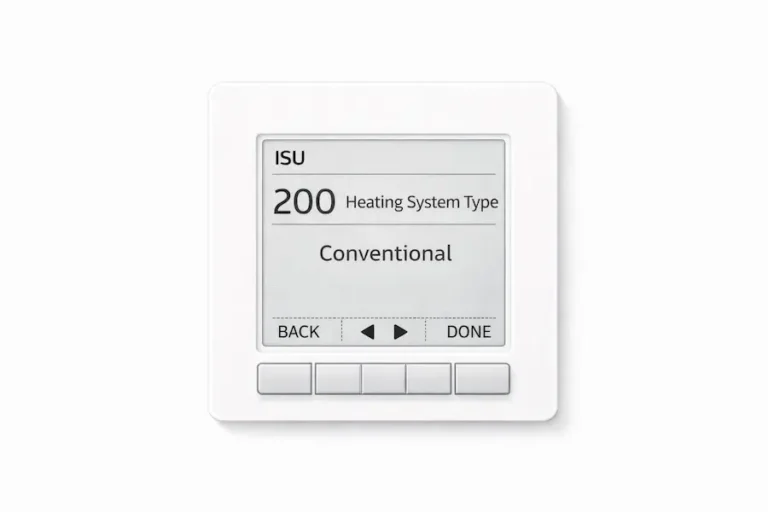
The first setting is ISU 125 (Temperature Scale). Move past it using Next and go directly to ISU 200, the system type setting.
Not all ISU settings appear in every menu. The T1 Pro hides settings that do not apply to your current configuration. If a setting is missing, check ISU 200 first.
For wiring diagrams and UWP mounting instructions see the Honeywell T1 Pro thermostat manual.
Honeywell T1 Pro ISU Settings — Every Option Explained
The T1 Pro ISU menu contains 11 settings. ISU 200 is the most important. Configure it before any other setting. Every other option depends on the value you enter here.
| ISU | Setting Name | Options | Default | What It Controls |
|---|---|---|---|---|
| 125 | Temperature Indication Scale | 0 = Fahrenheit, 1 = Celsius | 0 | Sets the unit for all temperature displays |
| 200 | Heating System Type | 1 = Conventional, 2 = Heat Pump (TH1110D only), 3 = Radiant Heat, 5 = Cool Only | 1 | Tells the thermostat what equipment it controls — most critical setting |
| 205 | Heating Equipment Type (Conventional) | 1 = Standard Gas, 2 = High Efficiency Gas, 3 = Oil, 4 = Electric, 5 = Fan Coil | 1 | Refines the heating signal for conventional systems |
| 205 | Heating Equipment Type (Heat Pump) | 7 = Air to Air Heat Pump, 8 = Geothermal | — | Refines the heating signal for heat pump systems — TH1110D only |
| 205 | Heating Equipment Type (Radiant) | 9 = Hot Water Radiant, 12 = Steam | — | Refines the heating signal for radiant systems |
| 218 | Reversing Valve O/B | 0 = O energises in Cool, 1 = B energises in Heat | 0 | Controls heat pump direction — TH1110D only |
| 220 | Cool Stages | 0 = None, 1 = One stage | 1 | Sets number of cooling stages — TH1110D only |
| 221 | Heat Stages | 0 = None, 1 = One stage | 1 | Sets number of heating stages |
| 230 | Fan Control in Heat | 1 = Equipment controls fan, 2 = Thermostat controls fan | 1 | Determines who controls the blower during a heat call |
| 430 | Minimum Cool Setpoint | 50°F to 99°F | 50°F | Sets the lowest cooling temperature the homeowner can select |
| 431 | Maximum Heat Setpoint | 32°F to 90°F | 90°F | Sets the highest heating temperature the homeowner can select |
| 1400 | Backlighting | 0 = On Demand, 1 = Continuous | 0 | Controls screen light duration — C wire required for Continuous |
| 1420 | Temperature Display Offset | -3°F to +3°F | 0°F | Calibrates displayed temperature against actual room temperature |
ISU 200 — The Most Important Setting on the T1 Pro
ISU 200 is the root cause of most T1 Pro failures after installation. It tells the thermostat what type of HVAC equipment it controls. It sends the correct voltage signals to terminals W, Y, and O/B based on the system type selected. If this value is wrong, the thermostat sends the wrong signals to the HVAC equipment. The system does not heat or cool regardless of any other setting.
Use this table to match your HVAC system with the correct ISU 200 value.
| Your System | O/B Wire Present | Set ISU 200 To |
|---|---|---|
| Gas or oil furnace with air conditioning | No | 1 — Conventional Forced Air |
| Electric forced air system | No | 1 — Conventional Forced Air |
| Heat pump | Yes | 2 — Heat Pump (TH1110D only) |
| Radiant hot water or steam boiler | No | 3 — Radiant Heat |
| Cooling only, no heating system | No | 5 — Cool Only |
Do not change other ISU settings until ISU 200 is correct.
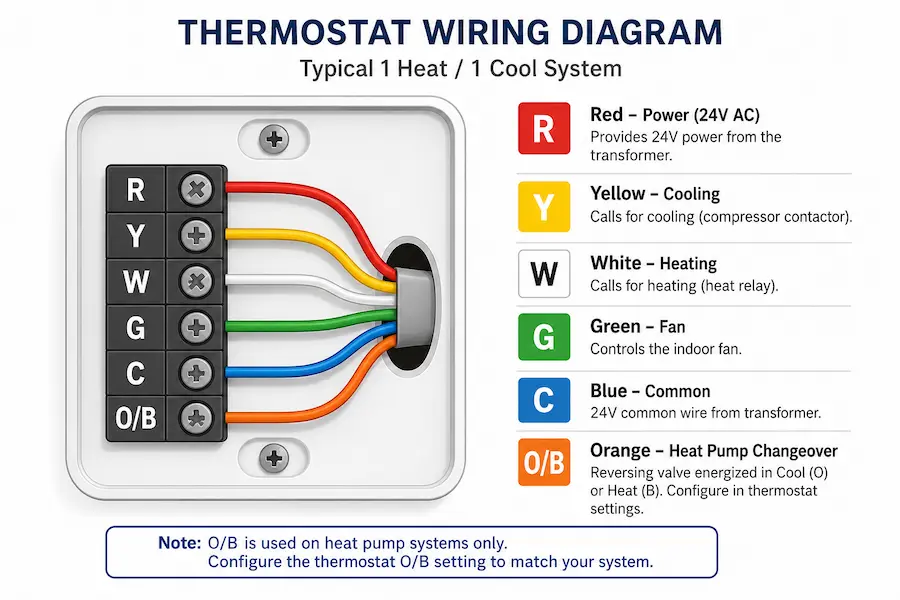
Use the O/B wire as the identifier. If a wire connects to the O/B terminal, the system is a heat pump. If no O/B wire is present, the system is conventional, radiant, or cooling only.
The TH1010D does not include value 2 in its ISU 200 menu. Heat pump configuration is not available on this model. If your system is a heat pump and your thermostat is a TH1010D, the thermostat is not compatible. The TH1110D is the only T1 Pro model that supports heat pump systems.
Why Some T1 Pro ISU Settings Do Not Appear
The T1 Pro ISU menu hides settings that do not apply to your current configuration. This is called conditional logic. It is normal behavior and not a fault with the thermostat. The menu only shows settings that apply to your current system type. Not all options are available in every configuration.
In most cases, checking ISU 200 first resolves a missing setting. Changing ISU 200 to the correct value causes the relevant settings to appear automatically. For example, setting ISU 200 to heat pump reveals ISU 218 for reversing valve direction. Setting ISU 200 to Cool Only hides ISU 205 because no heating equipment is present.
On the TH1010D, ISU 220, ISU 221, ISU 430, and ISU 431 do not appear in most configurations. These settings are not available on the TH1010D model. Two ISU settings disappear for reasons unrelated to ISU 200.
| ISU | Setting | Why It May Not Appear |
|---|---|---|
| 205 | Heating Equipment Type | ISU 200 is set to Cool Only (value 5) |
| 218 | Reversing Valve O/B | ISU 200 is not set to Heat Pump — TH1110D only |
| 220 | Cool Stages | Not shown on TH1010D model |
| 221 | Heat Stages | Not shown on TH1010D model |
| 230 | Fan Control in Heat | ISU 205 is not set to Electric (4) or Fan Coil (5) |
| 430 | Minimum Cool Setpoint | Not shown on TH1010D unless ISU 200 = Cool Only (5) |
| 431 | Maximum Heat Setpoint | Not shown on TH1010D unless ISU 200 is not Cool Only |
| 1400 | Backlighting | Thermostat is powered by batteries only — C wire required |
If a setting is missing, check ISU 200 first. Changing ISU 200 to the correct value causes the relevant settings to appear automatically.
Why ISU 230 Does Not Appear
ISU 230 for fan control does not appear in most T1 Pro configurations. It only appears after ISU 205 is set to Electric Forced Air (4) or Hot Water Fan Coil (5). For gas, oil, and radiant systems, the equipment controls the fan automatically. ISU 230 does not appear for those systems.
Why ISU 1400 Does Not Appear
ISU 1400 for backlighting does not appear if the thermostat runs on batteries only. This condition is independent of ISU 200. A C wire connected to the C terminal is required for the Continuous backlight option to activate.
H2: How to Identify Your System Type Before Setting ISU 200
Your system type depends on the wiring connected to the thermostat terminals. Turn off power at the circuit breaker before inspecting any wiring. Remove the thermostat from the wall plate and read the terminal labels.
Follow these 3 questions in order. Stop when you find a match.
Question 1: Do you see a wire connected to the O/B terminal?
Yes: You have a heat pump or geothermal system. The O/B wire controls the reversing valve that switches the system between heating and cooling modes. Set ISU 200 to 2. This option only exists on the TH1110D. The TH1010D does not support heat pumps.
No: Go to Question 2.
Question 2: Do you see a wire connected to the Y terminal?
Yes: You have a conventional forced air system with cooling. Set ISU 200 to 1.
No: Go to Question 3.
Question 3: Do you have no Y wire?
Yes: You have a heat-only system. A G wire may still be present. The key identifier is the absence of the Y wire. Set ISU 200 to 1 for a gas or oil furnace. Set ISU 200 to 3 for a radiant hot water or steam system. Set ISU 220 to 0. Heat-only systems have no cooling stages.
If you are unsure whether your system is conventional or radiant, check the heating equipment. A furnace uses a blower. Radiant systems use baseboard radiators or floor tubing.
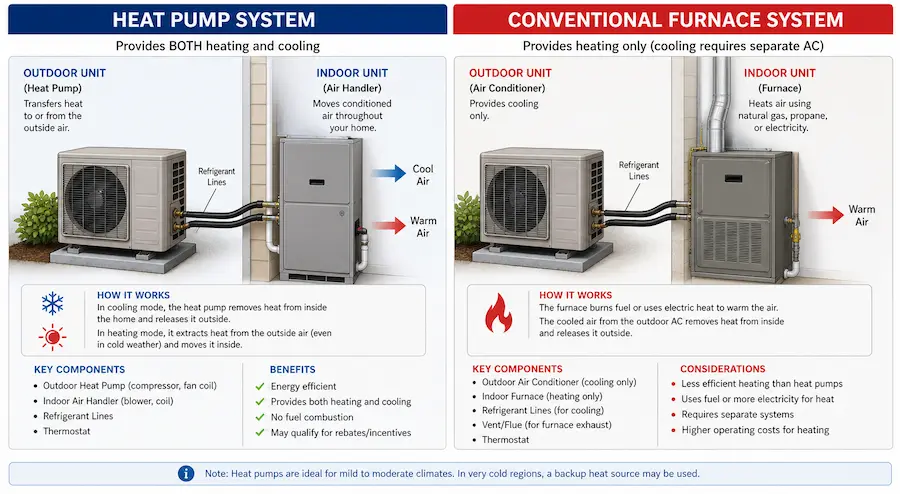
If you cannot confirm the wiring, check the equipment directly. A heat pump runs in both summer and winter. A furnace is in the basement, attic, or utility closet. Baseboard radiators or in-floor pipes indicate a radiant system.
| Wiring at Terminal Block | System Type | ISU 200 Value |
|---|---|---|
| O/B wire present | Heat pump or geothermal | 2 (TH1110D only) |
| R, Y, W, G — no O/B | Conventional forced air | 1 |
| R, W — no Y | Radiant or heat only | 1 or 3 |
| Y only — no W | Cool only, no heating | 5 |
Testing the System After ISU Configuration
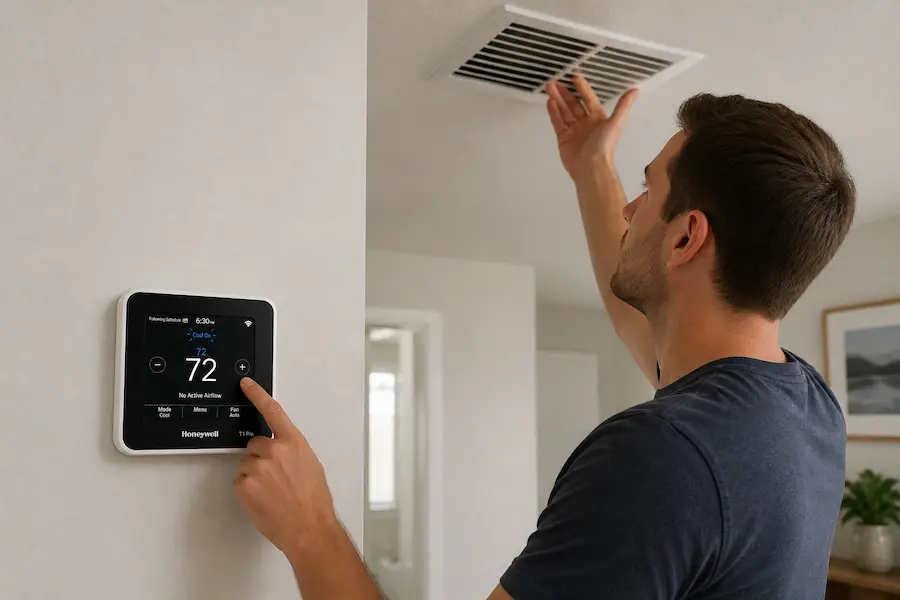
Test the system after completing ISU configuration by manually cycling through Heat, Cool, and Fan modes. The T1 Pro does not have a dedicated system test menu. Testing is done from the home screen.
Heat test: Set the mode to Heat. Raise the setpoint 3 to 5 degrees above the current room temperature. The display shows Heat On when the thermostat sends the heating signal. A gas furnace responds within 60 seconds and produces warm air at the supply vent. A heat pump may take up to 5 minutes.
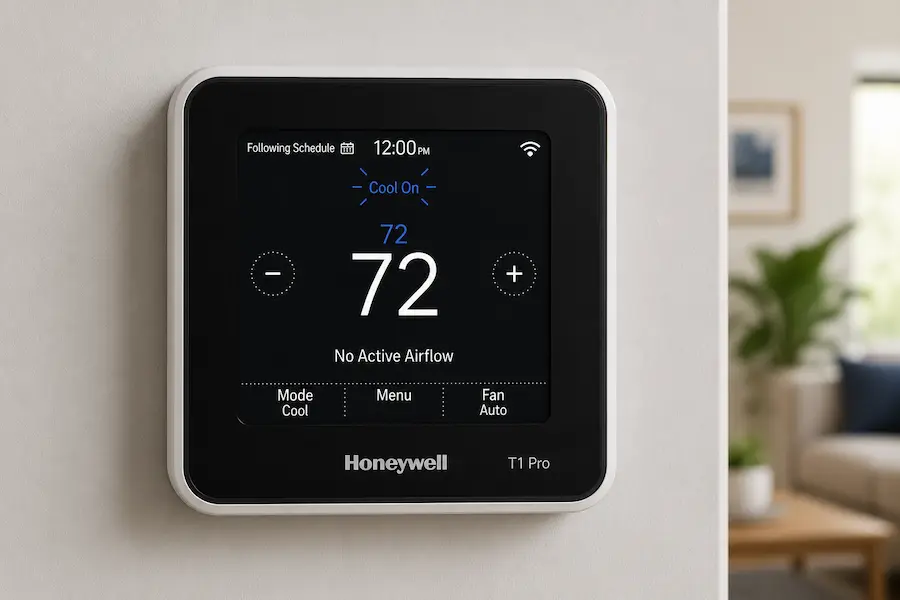
Cool test: Set the mode to Cool. Lower the setpoint 3 to 5 degrees below the current room temperature. The display shows Cool On when the thermostat sends the cooling signal. If Cool On flashes rather than staying solid, the compressor protection delay is active. Wait 5 minutes. The system starts automatically once the delay clears.
Fan test: Set the fan to On. Confirm the blower activates immediately. A running blower confirms the fan wiring and ISU 230 are correct.
If a mode does not respond, check ISU 200 first. The display shows an active indicator but the equipment stays off when ISU 200 is wrong.
T1 Pro ISU Menu vs T4 Pro and T6 Pro
The T1 Pro, T4 Pro, and T6 Pro use different ISU menus with increasing levels of control. The T1 Pro has 11 settings, the fewest of the three.
The T1 Pro is a non-programmable thermostat for single-stage systems. The TH1110D supports a basic heat pump with 1 heating stage and 1 cooling stage. It does not support auxiliary heat, scheduling, cycle rate settings, or a system test menu.
| Feature | T1 Pro | T4 Pro | T6 Pro |
|---|---|---|---|
| ISU settings | 11 | Over 20 | 30+ |
| Scheduling | None | 7-day, 5-2, 5-1-1 | 7-day, 5-2, 5-1-1 |
| Max stages | 1H/1C | 2H/1C or 1H/1C | Up to 3H/2C |
| Heat pump | Basic — no aux heat (TH1110D only) | With aux and emergency heat (TH4210U only) | Advanced — multi-stage, dual-fuel |
| Fan modes | Auto, On | Auto, On | Auto, On, Circulate |
| System test menu | No | Yes | Yes |
| Cycle rate settings | No | Yes | Yes |
The T4 Pro adds scheduling, cycle rate control, and auxiliary heat support. The TH4210U2002 supports 2-stage heat pump systems with auxiliary and emergency heat. The TH4110U2005 supports single-stage conventional systems only.
The T6 Pro covers over 30 ISU settings. It supports multi-stage heating and cooling, outdoor sensors, and dual-fuel configurations.
Use the T1 Pro for simple single-stage systems without scheduling. Use the T4 Pro if scheduling, cycle rate control, or auxiliary heat is needed. Use the T6 Pro for two-stage systems, outdoor sensors, or dual-fuel configurations.
For the T4 Pro ISU guide see the T4 Pro ISU menu guide. For the T6 Pro ISU guide see the T6 Pro ISU menu guide.
Common T1 Pro ISU Setup Mistakes
Most T1 Pro installation failures trace back to one of 5 ISU setup mistakes. Each one causes the system to appear normal on the display while heating or cooling fails to respond.
Skipping the ISU Menu After First Power-On
The T1 Pro powers on with factory defaults. It does not prompt the installer to enter the ISU menu. The default system type is conventional forced air—ISU 200 value 1. A heat pump, radiant, or steam system on default settings does not receive correct signals. Enter the ISU menu and set ISU 200 before testing the system. A factory reset clears all ISU settings and returns ISU 200 to value 1. Re-enter the ISU menu completely after any reset.
Setting ISU 200 to Heat Pump on a Conventional System
Setting ISU 200 to Heat Pump sends an O/B reversing valve signal to the furnace control board. The furnace does not recognise this signal and blows cold air or stops responding entirely. Confirm the system type using the wiring before entering a value in ISU 200. Set ISU 200 to 1 and the system corrects immediately.
Using TH1110D Documentation on a TH1010D
The TH1010D has fewer ISU settings than the TH1110D. ISU 220 for cool stages does not exist on the TH1010D. The heat pump option in ISU 200 is also absent on this model. Check the model number on the back of the thermostat before opening any documentation.
Pressing Buttons During the Compressor Protection Delay
If Cool On flashes on the display, the compressor protection delay is active. The delay runs for 5 minutes. Each button press during the delay resets the timer and extends the wait. Wait without touching the thermostat. The system starts automatically once the delay completes.
Not Testing the System After ISU Configuration
Not testing all 3 modes before leaving leaves wiring errors undetected. ISU 230 fan control errors on electric forced air systems are the most common missed fault. On electric systems, leaving ISU 205 on the gas default causes a fan delay. The thermostat waits for a gas heat exchanger signal that never arrives. The error only becomes visible when the season changes and the system fails to respond. Run all 3 tests before leaving the installation.
H2: Symptoms Caused by Incorrect T1 Pro ISU Settings
Incorrect ISU settings cause most T1 Pro heating and cooling problems after installation. Use this table to match your symptom with the correct ISU fix.
| Symptom | ISU Cause | What to Do |
|---|---|---|
| No heating after install | Wrong system type | Check ISU 200 — set to 1, 2, or 3 |
| No cooling after install | Cool stages at 0 | Set ISU 220 to 1 (TH1110D only) |
| Fan runs continuously | Fan control wrong | Set ISU 230 to 1 or 2 |
| Heat pump blows cold air | Reversing valve wrong | Switch ISU 218 between 0 and 1 |
| Heat or Auto mode missing | ISU 200 set to 5 | Change ISU 200 to 1 or 2 |
| ISU settings not visible | Conditional logic | Check ISU 200 first |
| Temperature reading wrong | Offset uncalibrated | Adjust ISU 1420 from -3 to +3°F |
If Cool On flashes on the display, wait up to 5 minutes before checking anything. This is the compressor protection delay and not a fault. The system starts automatically once the delay completes.
If the symptom persists after checking the listed ISU setting, confirm the terminal wiring. A wiring error and an ISU error produce the same symptoms on the display.
For a complete diagnostic walkthrough beyond the installer menu see the Honeywell thermostat not working guide.
FAQ’s
Conclusion
The Honeywell T1 Pro ISU menu is the configuration layer between the thermostat and your HVAC equipment. ISU 200 is the most important setting. If this value is wrong, the system does not heat or cool regardless of any other setting.
Correct ISU setup depends on your model and wiring. The TH1110D supports heat pumps. The TH1010D supports conventional systems only. Settings appear or disappear based on system type — checking ISU 200 first resolves most issues.
Confirm your model, check your wiring, and set ISU 200 before any other setting. If the system still does not respond, use the Honeywell thermostat not working guide for a full diagnostic walkthrough. This article was reviewed for technical accuracy against official Honeywell Home installation documentation published by Resideo Technologies