Honeywell Thermostat Manuals: Complete Guide for Understanding, Setup & Usage
A Honeywell thermostat manual explains how your thermostat controls heating, cooling, and fan settings. Also, it helps you avoid common setup and usage mistakes.
Written for homeowners. Based on official manuals and real usage.
Setup Clarity
Know what steps matter before changing settings.
Manual Understanding
Understand modes, schedules, and menu terms
Troubleshooting
Fix common issues before calling a technician
Quick Action Points
Use these points to find the right manual and avoid common setup mistakes.
- Match the manual to your exact model number, not just the series name.
- Most “failures” come from mode, schedule holds, or power issues.
- Manuals explain normal HVAC delays, which often look like problems.
- Use wiring labels only for basic checks and safety awareness.
- Download manuals from official sources to avoid wrong PDFs.
How This Guide Helps Homeowners
Many issues come from misunderstanding modes or schedules. The manual explains system behavior clearly. Knowing this helps avoid incorrect adjustments. Homeowners gain control without guessing.
This article explains setup clarity, manual terms, and troubleshooting basics. Each section follows real usage patterns in homes. The goal is to simplify HVAC control decisions. Understanding manuals reduces stress and service calls. You learn what matters before changing settings.
| Problem | Manual Section |
|---|---|
| Thermostat not responding | Mode Settings |
| Heating delay | Compressor Protection |
| Cooling not starting | Fan Mode |
| Wrong temperature | Calibration |
Based on Real Manual Usage
This guide follows official Honeywell thermostat manuals and real homeowner usage. It explains how HVAC systems behave normally. The focus stays on practical adjustments. This helps homeowners understand system delays. Clear knowledge reduces panic.
Understanding manuals prevents incorrect settings. Many HVAC issues come from wrong schedules. This article highlights those patterns. It reflects real home climate behavior. The goal is to build daily control confidence.
What is a Honeywell Thermostat Manual?
A Honeywell thermostat manual explains how the thermostat controls HVAC systems such as furnaces, heat pumps, and air conditioners. It shows how settings like heating mode and cooling mode affect indoor temperature. Many homeowners assume system failure when the issue relates to configuration. The manual connects thermostat behavior with system responses. This helps users understand how the thermostat interacts with equipment.
The manual also explains how scheduling affects system runtime. It describes how sensors detect temperature changes and activate heating cycles. Some systems include compressor protection delays that prevent rapid restarting. The manual clarifies these delays, so users do not misinterpret them as faults. This supports correct daily operation.
Types of Honeywell Thermostats Homeowners Encounter
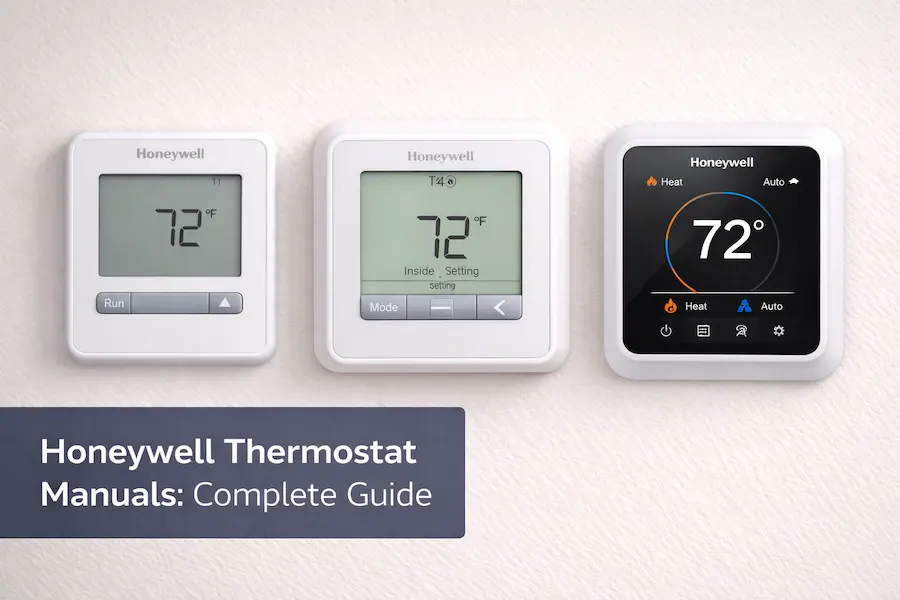
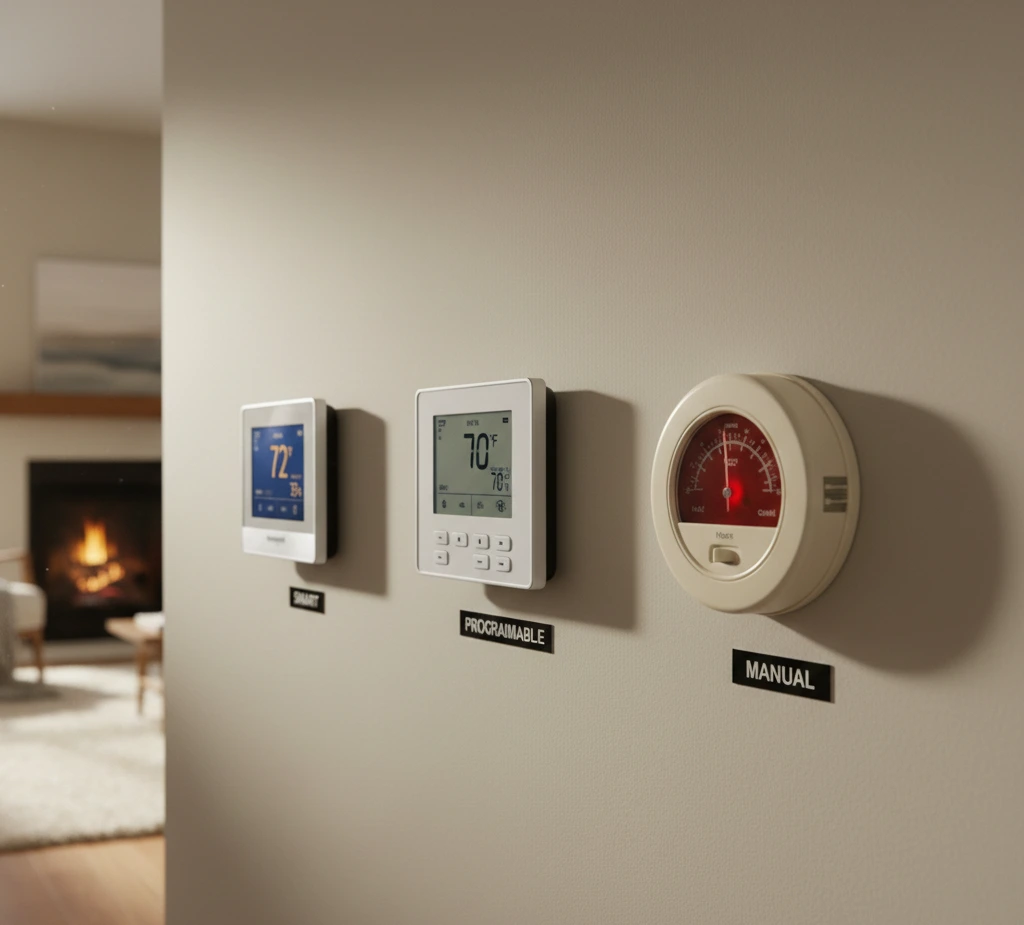
Honeywell thermostats fall into several categories that manage temperature differently. Smart thermostats connect to home networks and communicate with HVAC components remotely. Programmable models follow time-based routines for heating and cooling cycles. Non-programmable units rely on manual adjustments for system activation. Knowing the type helps users follow the correct manual instructions.
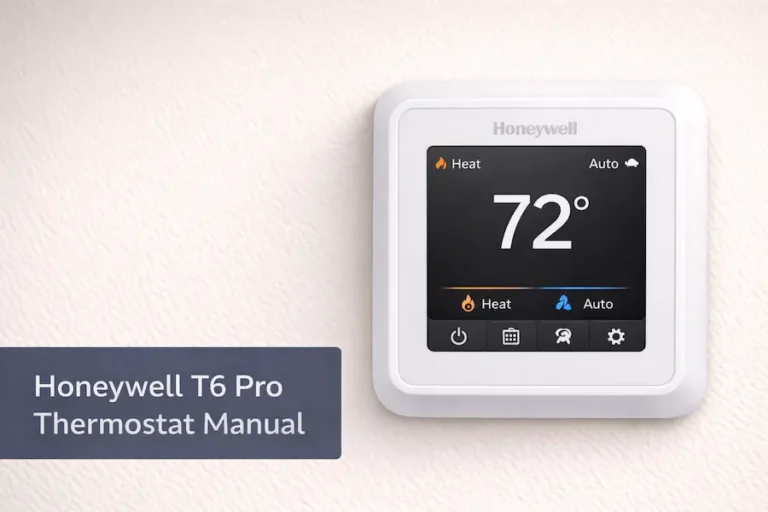
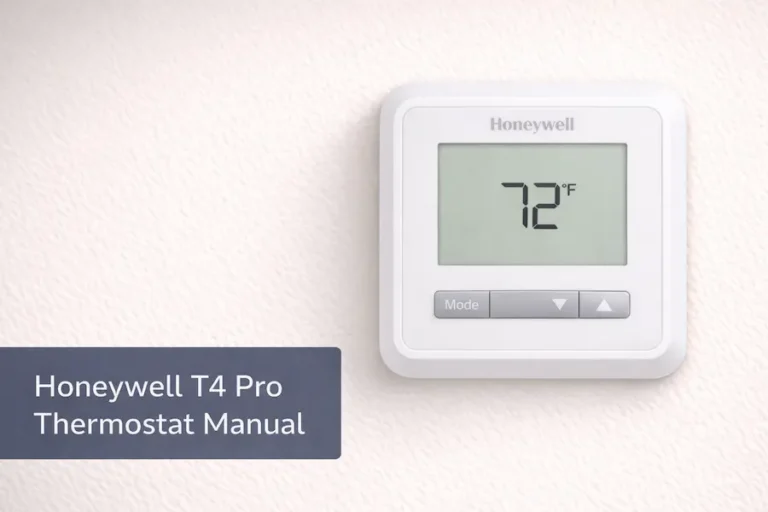
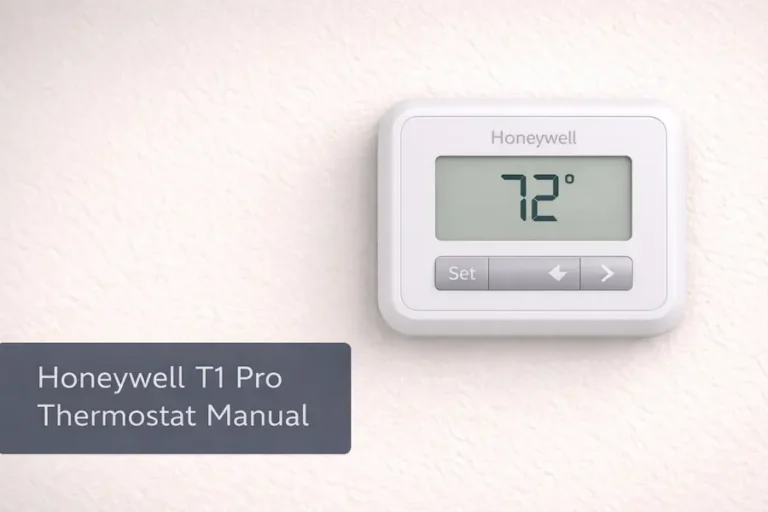
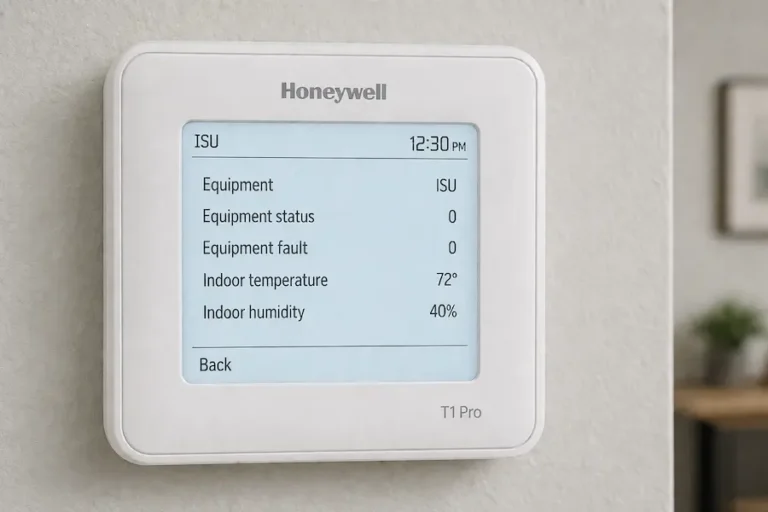
For specific models, see the Honeywell T4 Pro thermostat manual and the Honeywell T6 Pro thermostat manual.
Each category interacts with HVAC components in a specific way. Smart thermostats may use sensors to detect occupancy patterns. Programmable units control system runtime based on schedules. Manual units respond directly to user input. The manual explains how these differences affect daily operation.
Smart Thermostats
Smart models connect to Wi-Fi networks and allow remote control through mobile devices. They may adjust heating or cooling based on occupancy detection. The manual explains how sensors influence scheduling. This supports efficient HVAC operation.
Programmable Thermostats
Programmable units follow stored time schedules. These schedules control furnace and compressor activation throughout the day. The manual shows how to create and adjust these routines. Proper use supports stable temperature management.
Non-Programmable Thermostats
Non-programmable models require manual changes to settings. Users adjust heating or cooling directly through the interface. The manual explains how these adjustments influence system response. This supports straightforward operation.
Thermostat Types at a Glance
| Thermostat Type | Control Method | Best For |
|---|---|---|
| Smart | App control, Wi-Fi connection, and optional sensors. | Homes with changing routines and remote access needs. |
| Programmable | Built-in schedules with set times and temperatures. | Homes with steady daily routines and predictable hours. |
| Non-programmable | Manual adjustments using buttons or a basic interface. | Simple control with fewer settings and fewer menus. |
Tip: If you want fewer manual changes, smart or programmable models usually help.
Popular Honeywell Thermostat Series in U.S. Homes
Many homes across the United States use specific Honeywell thermostat series that manage HVAC systems such as furnaces and heat pumps. The T6 series often appears in newer properties with modern heating and cooling systems. These models support scheduling and sensor-based adjustments. The manual explains how these features influence system runtime. Understanding the series helps locate the correct documentation.
The T5 series appears in homes where routines vary during the week. These models allow flexible scheduling for temperature management. Pro Series thermostats focus on stable system control in residential HVAC setups. Each series interacts differently with compressors and blower systems. The manual specifies how these differences affect operation.
Understanding these series helps users choose the correct Honeywell manual.
It also reduces setup errors and improves system control.
What Information is Included in Honeywell Manuals?
Honeywell thermostat manuals explain how the thermostat interacts with HVAC systems such as furnaces, heat pumps, and air conditioners. They describe how system modes influence heating and cooling cycles. Users learn how schedules affect indoor temperature changes. The manual connects thermostat settings with equipment behavior. This supports stable operation.
Manuals also explain how airflow and system runtime respond to user input. They show how to adjust schedules for weekdays and weekends. Override functions are also described. These functions influence system activation during temporary changes. Reviewing these sections helps maintain consistent indoor temperature.
System Modes
The manual explains heating, cooling, and automatic modes. Each mode signals HVAC components differently. Users learn how these signals activate furnaces or compressors. Understanding modes supports correct system response.
Scheduling Functions
Scheduling sections describe how time-based settings influence system runtime. Users learn how programmed routines affect daily operation. The manual explains how overrides interact with schedules. This supports predictable temperature management.
System Compatibility
Manuals specify supported HVAC configurations. These include gas furnaces, heat pumps, and air conditioning units. Compatibility details influence system behavior. Reviewing them ensures accurate operation.
Understanding Honeywell Thermostat Settings
Thermostat settings control how HVAC systems such as furnaces, heat pumps, and air conditioners respond to indoor temperature changes. Heating mode signals the furnace to begin producing warm air when temperatures drop. Cooling mode activates the compressor to reduce indoor heat levels. Many systems include a short protection delay before restarting. The manual explains this delay to prevent confusion.
Automatic mode allows the thermostat to switch between heating and cooling based on sensor readings. Fan settings control airflow through ducts and vents. Continuous fan operation increases air circulation but may increase runtime. Automatic fan mode supports efficient airflow during system cycles. The manual explains how these options affect daily operation.
Heating Mode
Heating mode signals the furnace or heat pump to increase indoor temperature.
Cooling Mode
Cooling mode activates the air conditioning system through the compressor.
Fan Settings
Fan settings influence airflow within the HVAC system.
Many homeowners think their thermostat is broken when cooling or heating does not start immediately.
In most Honeywell models, a built-in delay prevents sudden compressor restarts.
This is listed in manuals under “Compressor Protection” or “Delay Mode.”
If your system waits 3–5 minutes before starting, this is normal behavior.
How Honeywell Manuals Help Manage Daily Comfort
Daily comfort depends on how thermostat schedules interact with household routines. The manual explains how programmed settings influence HVAC system runtime throughout the day. Users learn how setback temperatures reduce unnecessary furnace operation during sleep hours. It also shows how daytime schedules influence cooling cycles. This supports consistent indoor conditions.
Manual guidance also explains how temporary overrides affect stored routines. Users learn how manual changes interact with existing schedules. This prevents confusion when changes appear to reset automatically. The manual connects scheduling with system sensors and airflow patterns. Proper use helps maintain predictable temperature levels.
Scheduling Control
The manual explains how programmed schedules influence heating and cooling cycles. Users learn how daily routines affect HVAC runtime. This supports efficient operation during occupied and unoccupied periods. Proper scheduling improves stability.
Temporary Overrides
Override functions allow short-term adjustments without deleting stored schedules. The manual explains how these overrides interact with system timing. Users learn when overrides expire automatically. This prevents unexpected temperature changes.
Airflow Management
Manual guidance explains how airflow responds to scheduling changes. Blower operation supports temperature consistency. Users learn how airflow patterns affect comfort. Understanding airflow supports stable conditions.
Honeywell Thermostats & U.S. HVAC Systems
Thermostats must match the installed HVAC system to function correctly. Many U.S. homes rely on gas furnaces for winter heating. Others use heat pumps for both heating and cooling cycles. These systems respond differently to thermostat signals. The manual explains how thermostat settings interact with each system type.
Gas Furnace Systems
Gas furnaces respond to thermostat signals for heating cycles. The manual explains how heating demand activates burners. Users learn how airflow distributes warm air through ducts. This supports consistent indoor temperature.
Heat Pump Systems
Heat pumps operate differently from traditional furnaces. The manual explains how reversing valves control heating and cooling. Users learn how auxiliary heat activates during colder conditions. This supports correct seasonal operation.
Central Air Systems
Air conditioning systems depend on compressor activation. The manual explains how thermostat settings signal cooling demand. Users learn how delays protect compressors. This supports safe cooling cycles.
Basic Wiring Labels Explained
Thermostats communicate with HVAC equipment through low-voltage control wiring. These connections link the thermostat to system components such as furnaces, compressors, and blower motors. Each wire connects to a labeled terminal that controls a specific function. The manual explains how these terminals influence system behavior. Understanding these labels supports accurate troubleshooting.
Incorrect wiring may prevent heating or cooling from responding. The manual connects each terminal to its system role. This helps users understand how signals travel between the thermostat and HVAC equipment. Reviewing these labels supports safe maintenance. Proper connections ensure reliable operation.
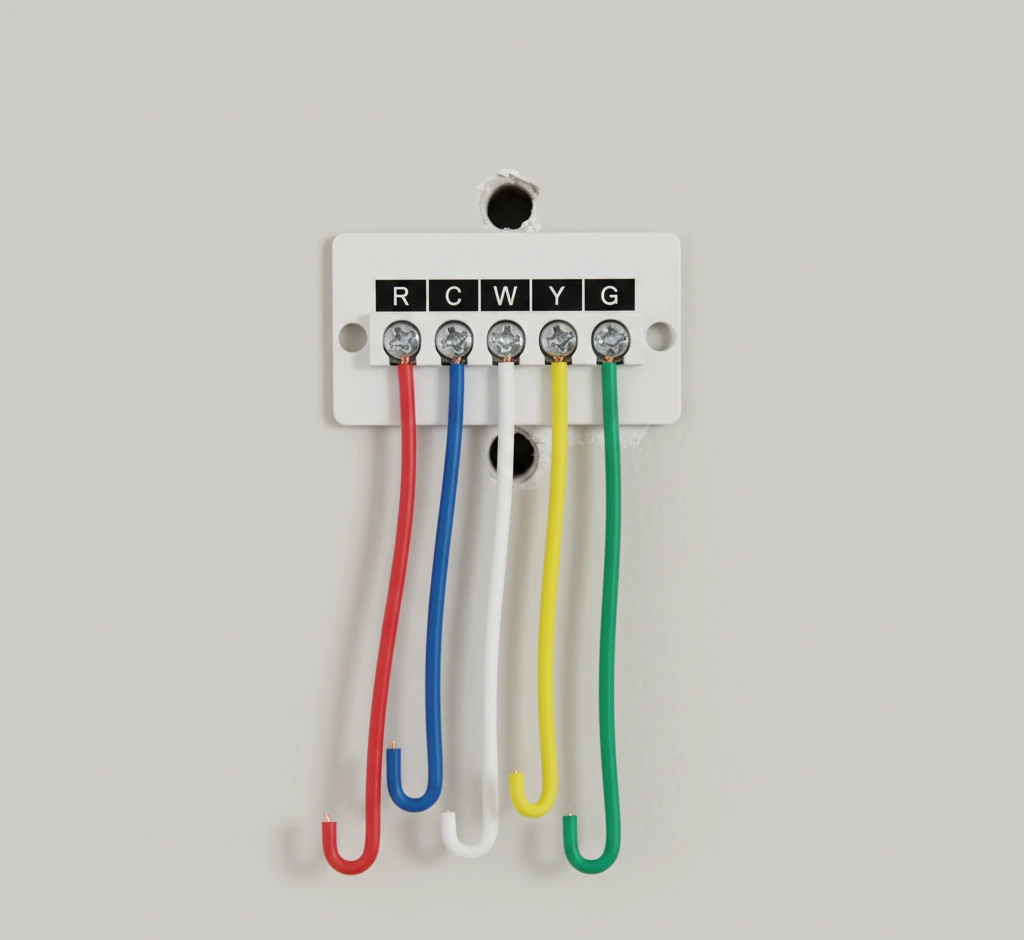
Wiring labels help identify system type before changing settings.
For example:
R = Power
Y = Cooling
W = Heating
G = Fan
If Y is missing, cooling will never activate.
This simple check avoids unnecessary technician calls.
24V vs Line-Voltage Systems
Most residential HVAC systems operate using 24-volt control circuits. These low-voltage systems allow the thermostat to communicate safely with furnaces, heat pumps, and air conditioners. The manual explains how this control system manages heating and cooling signals. Some homes, however, use line-voltage systems for electric baseboard heaters. These operate at a much higher voltage level.
Using the wrong thermostat for a system can prevent proper operation. The manual specifies which models support low-voltage HVAC equipment. Line-voltage systems require different controls entirely. Confirming system type ensures compatibility. This protects both the thermostat and HVAC equipment.
Low-Voltage Systems
Low-voltage systems rely on transformers to supply control power. These systems manage signals for heating and cooling cycles. The manual explains how these circuits connect to thermostats. Understanding this helps prevent configuration issues.
Line-Voltage Systems
Line-voltage systems operate electric baseboard heaters directly. They do not use the same control circuits as HVAC systems. The manual clarifies when line-voltage compatibility applies. This helps avoid incorrect installation.
Safety Considerations
The manual explains voltage compatibility requirements. Users learn how mismatched systems affect operation. Reviewing these details supports safe setup. This prevents equipment damage.
How Homeowners Use Manuals in Real Life
Many cooling failures are linked to schedule settings rather than actual hardware problems. In many cases, the thermostat enters “Hold” mode without the homeowner realizing it. When the hold is removed, cooling often resumes immediately. This shows how simple settings can appear as system faults when the manual is not understood.
Homeowners often check the manual when heating or cooling does not start on time. Delays in system response are common in HVAC operation. The manual explains how schedules interact with system sensors and protection cycles. This helps users understand why systems pause before restarting. Clear understanding reduces unnecessary service calls and keeps comfort consistent.
Manual guidance also helps during routine lifestyle changes such as vacations or seasonal adjustments. Temporary overrides allow users to modify system behavior without deleting saved programs. This keeps indoor temperatures stable while adapting to real-life needs. Practical use of manual knowledge supports everyday comfort without technical confusion.
Schedule Adjustments
The manual explains how to adjust routines during travel or events. Users learn how schedules influence HVAC runtime. This helps maintain stable temperature when occupancy changes. Understanding adjustments improves control.
Delay Awareness
System delays protect compressors and heating components. The manual explains why these pauses occur. Users learn how sensors trigger system responses. This prevents unnecessary changes.
Everyday Troubleshooting
Manual instructions help users check simple settings first. These include modes and schedules. Reviewing these steps often resolves minor issues. This reduces reliance on service calls.
Common Problems Manuals Help Identify
Many thermostat issues relate to settings rather than equipment failure. A blank screen may indicate power interruption or battery loss. The manual explains how power sources affect system operation. It also shows how control circuits respond to voltage changes. Understanding these details supports quick resolution.
Delayed heating or cooling may also occur due to protection timers. The manual explains how compressors and heat pumps include built-in safeguards. These safeguards prevent rapid cycling that may damage components. Users learn how schedules influence activation timing. This helps interpret system behavior correctly.
Power Issues
The manual explains how battery condition affects thermostat operation. It also shows how control power from the HVAC system supports functionality. Checking these elements often resolves display problems. This supports reliable system response.
Mode Conflicts
Incorrect mode selection may prevent heating or cooling activation. The manual explains how thermostat modes interact with HVAC components. Users learn how schedule overrides influence operation. Understanding this prevents confusion.
System Delays
Protection delays affect compressor and heating activation. The manual explains how sensors manage these pauses. Users learn how to wait for cycle completion. This supports safe operation.
Honeywell Thermostat Manuals by Series
Honeywell thermostat manuals are organized by series to match specific HVAC system configurations. Each series interacts differently with furnaces, heat pumps, and air conditioners. The manual explains how these interactions affect system runtime and airflow. Matching the correct series ensures accurate scheduling and mode control. This supports stable indoor conditions.
Using the wrong series manual may lead to incorrect system behavior. Different models within a series may support different features. The manual specifies compatibility with system components such as compressors and blower motors. Identifying the correct series improves configuration accuracy. This supports reliable daily operation.
T6 Series Manuals
T6 series manuals explain smart scheduling and sensor-based adjustments. These thermostats often integrate with modern HVAC systems. The manual explains how scheduling influences system runtime. Users learn how system signals respond to temperature changes.
T5 Series Manuals
T5 manuals focus on flexible routine adjustments. These thermostats manage heating and cooling through programmable schedules. The manual explains how routines affect furnace activation. Understanding this supports efficient operation.
Pro Series Manuals
Pro Series manuals explain stable control for contractor-installed systems. These thermostats often support various HVAC configurations. The manual connects settings with system components. This supports consistent performance
Energy Efficiency & Thermostat Usage
Thermostat usage affects how long HVAC systems operate each day. Scheduling helps reduce unnecessary furnace and air conditioner runtime. The manual explains how setback temperatures lower heating demand during sleep hours. It also shows how raising cooling settings during absence reduces compressor use. These adjustments influence overall system efficiency.
Resideo notes that proper scheduling may support reduced heating and cooling demand. Heating energy use may decrease by up to 22 percent in some cases. Cooling demand may decrease by up to 17 percent depending on usage. Estimated annual savings may reach around $204 with consistent scheduling. Results vary based on system type and household routines.
Energy Savings Snapshot
| Adjustment Type | Possible Impact |
|---|---|
| Heating scheduling | Up to 22% savings* |
| Cooling scheduling | Up to 17% savings* |
| Estimated annual savings | About $204* |
*Savings vary by home size, HVAC type, climate, insulation, and how the thermostat is set.
Scheduling Impact
The manual explains how schedules influence HVAC runtime. Users learn how time-based changes affect heating cycles. This helps reduce unnecessary operation. Proper scheduling supports efficient performance.
Setback Temperatures
Setback settings lower heating during sleep or absence. The manual shows how these changes influence system sensors. This reduces runtime without affecting comfort. Understanding setback supports efficiency.
Runtime Reduction
Reducing runtime helps limit compressor and furnace operation. The manual connects runtime with energy use. Users learn how to adjust schedules accordingly. This supports improved efficiency.
Smart vs Traditional Honeywell Thermostats
Smart thermostats and traditional thermostats manage HVAC systems in different ways. Smart models use sensors and Wi-Fi connectivity to adjust heating and cooling automatically. Traditional thermostats depend on manual input or fixed schedules. The manual explains how each type communicates with system components such as furnaces and compressors. Understanding this difference supports correct usage.
Smart thermostats may adjust settings based on occupancy patterns. Traditional units rely on programmed schedules or direct adjustments. Each type influences system runtime differently. The manual explains how these control methods affect airflow and temperature stability. Knowing the type helps users apply the correct instructions.
Smart Thermostat Functionality
Smart thermostats connect to home networks for remote control. Sensors may detect occupancy and adjust system signals. The manual explains how these features influence heating and cooling cycles. This supports efficient operation.
Traditional Thermostat Operation
Traditional thermostats rely on manual settings or time-based programming. They activate HVAC components based on user input. The manual explains how these settings influence system behavior. This supports consistent indoor conditions.
Feature Differences
Smart models may use occupancy detection and adaptive scheduling. Traditional units follow fixed routines. The manual explains how these differences affect runtime. Understanding this supports effective temperature management.
Official Manual Access & Support
Users should obtain thermostat manuals from official Honeywell Home support sources. The manual selector matches the thermostat model with correct documentation. This ensures compatibility with HVAC systems such as furnaces and air conditioners. Using the correct file prevents incorrect scheduling or system configuration. Accurate manuals improve system understanding.
Official support pages also provide guidance for troubleshooting and setup. These resources explain how thermostat settings interact with system components. They also help identify configuration errors. Accessing verified documentation reduces confusion. This supports reliable daily operation.
Manual Selector
The manual selector helps locate documentation using the model number. It matches the thermostat to its supported HVAC configuration. Users receive guidance tailored to their system. This improves accuracy.
Support Resources
Official support includes troubleshooting assistance and setup instructions. These resources explain how system components respond to settings. Users learn how to interpret behavior. This supports correct usage.
Technician Assistance
Support pages may also list certified technicians. These professionals assist with installation or advanced issues. The manual explains when professional help is needed. This supports safe operation.
Still unsure about your thermostat? These common homeowner questions can help
Common Honeywell Manual Questions
Where to Download Honeywell Thermostat Manuals
You can download official Honeywell thermostat manuals from the Resideo (Honeywell Home) website.
Always check your thermostat model number before downloading. Using the wrong manual can lead to incorrect setup and system issues.
Conclusion
Honeywell thermostat manuals are designed to guide you through setup, operation, and troubleshooting. Understanding them helps you avoid common issues and use your system correctly.